Best IPTV Apps for Smart TV in 2026: Features, Compatibility & Setup Guide
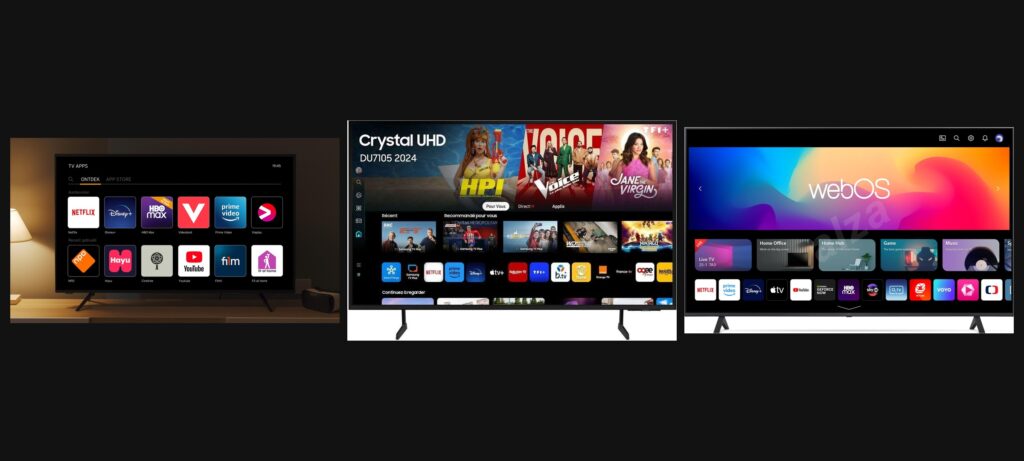
Choosing the right IPTV app for your Smart TV can make a big difference in your streaming experience. Whether you use a Samsung TV, LG Smart TV, Android TV, or Google TV, the right IPTV player can help you organize and access compatible streaming content more easily.
In this guide, we’ll explore some of the best IPTV apps for Smart TVs in 2026, compare their features, explain device compatibility, and show you what to consider before choosing an IPTV subscription.
If you’re also comparing streaming options, visit IPTV Subscription 4K to explore available information and subscription options.
What Is an IPTV App?
An IPTV app is a media player that allows users to access compatible television content over an internet connection. Instead of receiving channels through traditional cable or satellite equipment, users can stream content through supported applications.
It’s important to understand that most IPTV player apps do not provide TV channels themselves. You generally need a compatible playlist or subscription from a legitimate content provider.
Best IPTV Apps for Smart TV in 2026
Here are some popular IPTV player applications worth considering. Availability and features can vary depending on your TV model, operating system, and region.
1. IPTV Smarters Pro
IPTV Smarters Pro is a popular IPTV player known for its user-friendly interface and organized content categories.
Main features:
Simple and organized interface.
Supports compatible IPTV playlists.
Live TV, movies, and series organization.
Available on selected supported devices.
Parental control features may be available.
It can be a useful option for users who want an organized way to manage compatible streaming content.
2. TiviMate
TiviMate is a well-known IPTV player designed mainly for Android TV and Google TV devices.
Main features:
Modern television-style interface.
Electronic Program Guide (EPG) support.
Playlist management.
Channel organization and favorites.
Additional features available in premium versions.
TiviMate is particularly interesting for people who prefer navigating content with a TV remote.
3. Smart IPTV
Smart IPTV is an application designed for compatible Smart TVs. It allows users to load supported playlists and organize their streaming channels.
Main features:
Smart TV-focused interface.
Playlist management.
Channel organization.
Compatibility with selected television models.
Before installing it, check whether your specific TV model and operating system are supported.
4. SS IPTV
SS IPTV is another application that has been used on selected Smart TV platforms.
Main features:
Playlist support.
Simple navigation.
Compatibility with selected TV systems.
Content organization.
Its availability may differ depending on the television brand, region, and app store.
5. OTT Navigator
OTT Navigator is an IPTV player mainly associated with Android-based devices.
Main features:
Customizable interface.
Multiple playlist support.
EPG integration.
Channel filtering and organization.
Advanced playback settings.
It may suit users who want more control over how their streaming content is displayed.
IPTV Apps Comparison
IPTV App | Main Platform | Best For |
|---|---|---|
IPTV Smarters Pro | Supported devices | Simple navigation |
TiviMate | Android TV / Google TV | TV-style interface |
Smart IPTV | Selected Smart TVs | Playlist management |
SS IPTV | Selected Smart TVs | Basic IPTV playback |
OTT Navigator | Android devices | Advanced customization |
Note: App availability, pricing, and features can change. Always check the official app store and developer information before installing.
How to Set Up IPTV on a Smart TV
Setting up an IPTV player is generally straightforward. Follow these steps:
Connect your Smart TV to a stable internet connection.
Open your television’s official app store.
Search for a compatible IPTV player.
Install the application.
Open the app and follow its setup instructions.
Add a compatible playlist or account provided by an authorized content provider.
Test playback and adjust the settings if necessary.
For more information about compatible streaming options, visit IPTVSUBSCRIPTION4K.ONLINE.
How to Choose the Best IPTV App for Your Smart TV
Not every IPTV application works on every television. Before choosing one, consider these important factors.
Device Compatibility
Check whether the application supports your TV’s operating system. Samsung, LG, Android TV, and Google TV may have different app availability.
User-Friendly Interface
A good IPTV player should make it easy to browse channels, manage playlists, and find your preferred content.
EPG Support
An Electronic Program Guide helps users view available programme schedules when supported by their playlist and provider.
Streaming Performance
Your internet connection, television hardware, playlist quality, and provider infrastructure can all affect playback performance.
Security and Privacy
Download applications from official sources whenever possible. Review their permissions and privacy policies before entering account information.
What Internet Speed Do You Need for IPTV?
Your required internet speed depends on streaming resolution, network stability, and how many devices are connected.
Streaming Quality | Suggested Internet Speed |
|---|---|
SD | 5 Mbps |
HD | 10 Mbps |
Full HD | 15–20 Mbps |
4K | 25 Mbps or higher |
These are general recommendations, not guaranteed requirements. A stable connection is just as important as download speed.
IPTV Player vs IPTV Subscription: What’s the Difference?
Many beginners confuse IPTV applications with IPTV subscriptions, but they are not the same thing.
An IPTV player is the application used to organize and play compatible content. An IPTV subscription is access to content supplied by a provider with the necessary distribution rights.
For example, installing an IPTV player does not automatically give you access to television channels or movies. You need a compatible and authorized content source.
If you’re researching subscription options, you can visit IPTV Subscription 4K or explore IPTV4KPLUS for additional information.
Common IPTV Problems on Smart TVs and How to Fix Them
Even with a good IPTV app, users may occasionally experience technical problems.
Buffering: Check your internet connection, restart your router, or use an Ethernet connection if possible.
App Not Available: Your TV model or region may not support the application. Check the official app store for alternatives.
Playlist Not Loading: Verify the playlist details and contact your authorized provider if the issue continues.
Poor Video Quality: Check your internet speed and adjust playback quality when the application supports this option.
App Crashing: Update the application and your TV software, then restart the television.
Frequently Asked Questions
What is the best IPTV app for Smart TV in 2026?
There is no single best application for everyone. TiviMate is popular among Android TV users, while IPTV Smarters Pro and other players offer different interfaces and compatibility options.
Can I use IPTV on a Samsung Smart TV?
Yes, if a compatible IPTV application is available for your Samsung TV model and region. Check the Samsung App Store for supported applications.
Can I install IPTV apps on LG Smart TVs?
Some IPTV players are available for selected LG Smart TVs. Availability depends on the model, operating system, and region.
Do IPTV apps provide free channels?
Some applications may support free, publicly available playlists, but most IPTV players do not provide channels themselves. Always use authorized content sources.
Is a 4K Smart TV required for IPTV?
No. IPTV can work on HD and Full HD televisions too. A 4K television is only necessary if you want to watch content in native 4K resolution.
Final Thoughts
Choosing the best IPTV app for Smart TV in 2026 depends on your television, preferred features, and streaming requirements. Before installing an application, check compatibility, security, playlist support, and ease of use.
The right combination of a reliable IPTV player, stable internet connection, and authorized content source can help create a better streaming experience.
To learn more about available streaming options, visit IPTVSUBSCRIPTION4K.ONLINE and IPTV4KPLUS.COM.